


CUSTOM DESIGN

Your design system is the source of truth. Finally, AI that actually uses it.

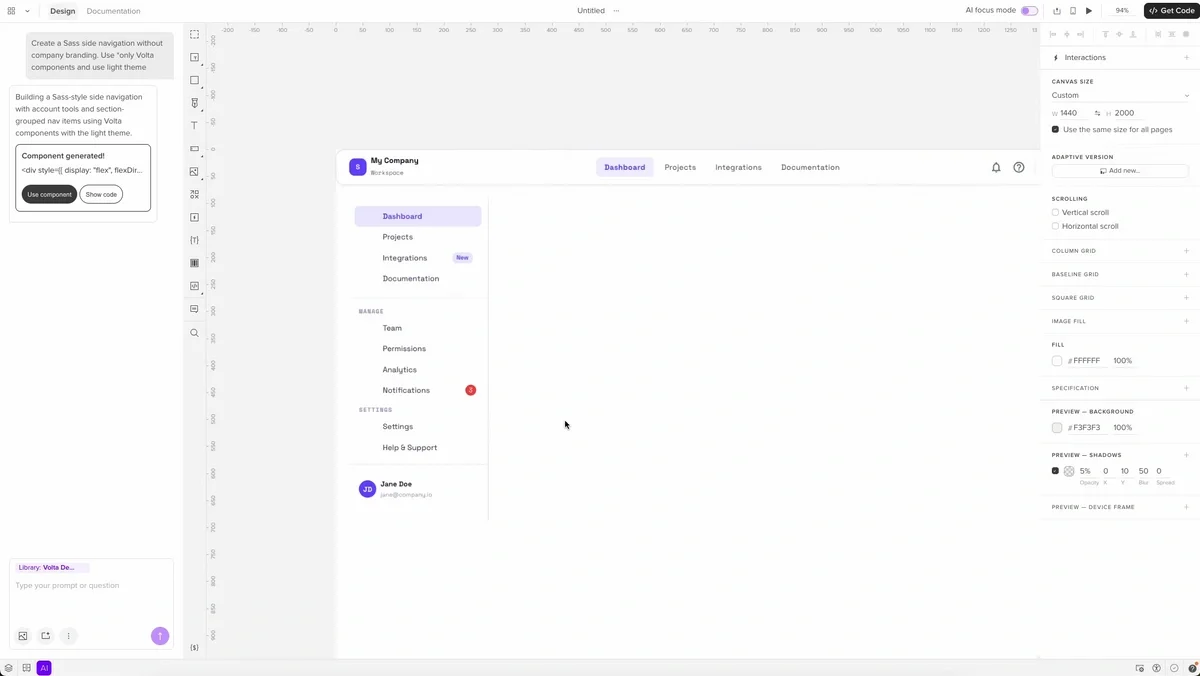
Forge generates UI with your actual React components. What's designed is what ships.

AI is fast. But it ignores everything you've built.

Your design system exists in documentation. Your design tool exists in a separate universe. The distance between what's designed and what ships is measured in engineering hours.

Your designers drift anyway

Designers don't user the same components as developers. Design and code drift apart.

AI tools make it worse

AI tools don't use your component library. The output looks good, but doesn't match your codebase.

The rebuild tax is real.

Developers rebuild what was already designed. Design and code stay out of sync - costing time and money.

What if AI designed with your actual components?

Your UI code stops being implementation: it becomes the source of truth. Your design system stops being documentation: it becomes the engine of design.

From prompt to production in one tool

Pick your components — Choose a built-in library or connect your own via Git.

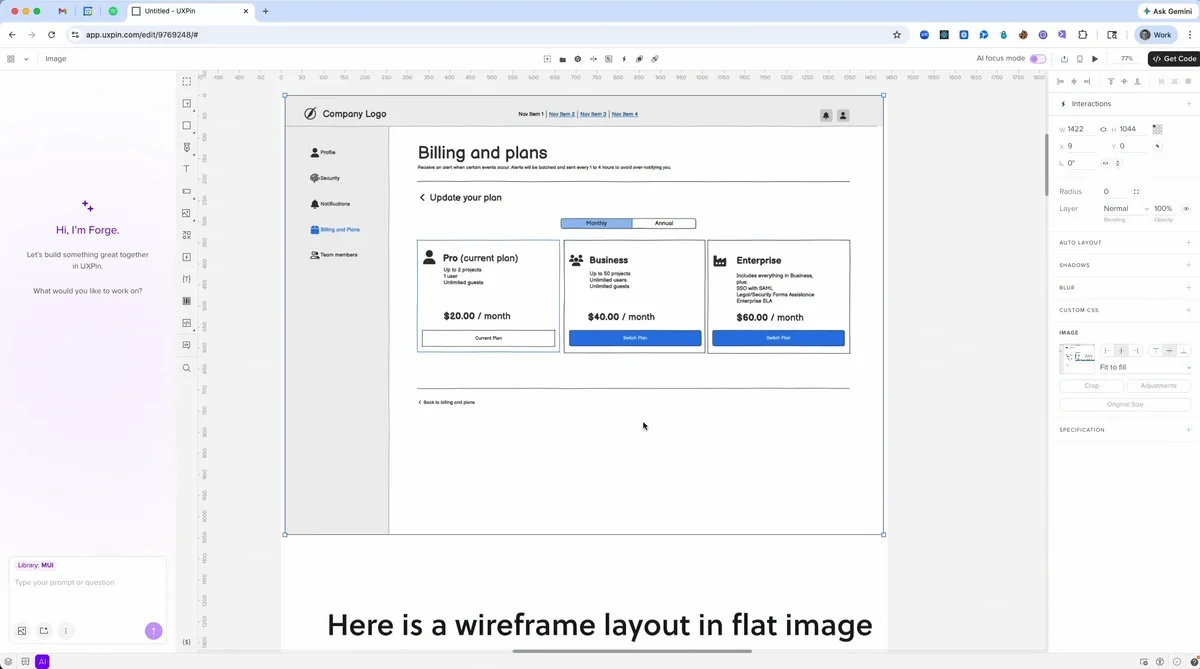
Prompt or design manually — Describe the UI you need, upload a screenshot for context, or design manually with real components. Switch between AI and manual editing at any point.

Refine visually — Adjust layout, tweak props, and add interactions. Your prototype behaves like the real product.

Iterate with AI — Use follow-up prompts to  modify the design in place. Forge updates the components using the correct props and variants.

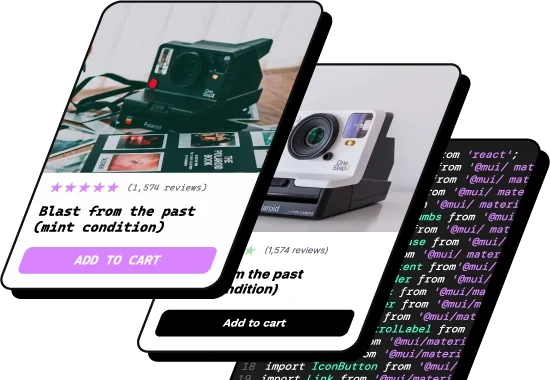
Export and ship — Export production-ready JSX from your selected component library. Open in CodeSandbox, copy to clipboard, or export to your project.

Git Integration — full component workflow

Connect your component library from Git repository. Components stay in sync as your code evolves. Use the same production components for manual design and AI generation.

Best for enterprise teams with mature React component libraries that need continuous, automated sync.
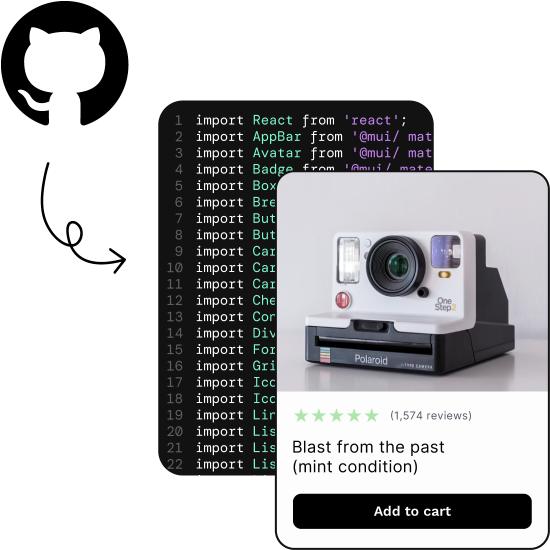
Git Integration — full component workflow

See It in Action

Forge Designing With Your Components
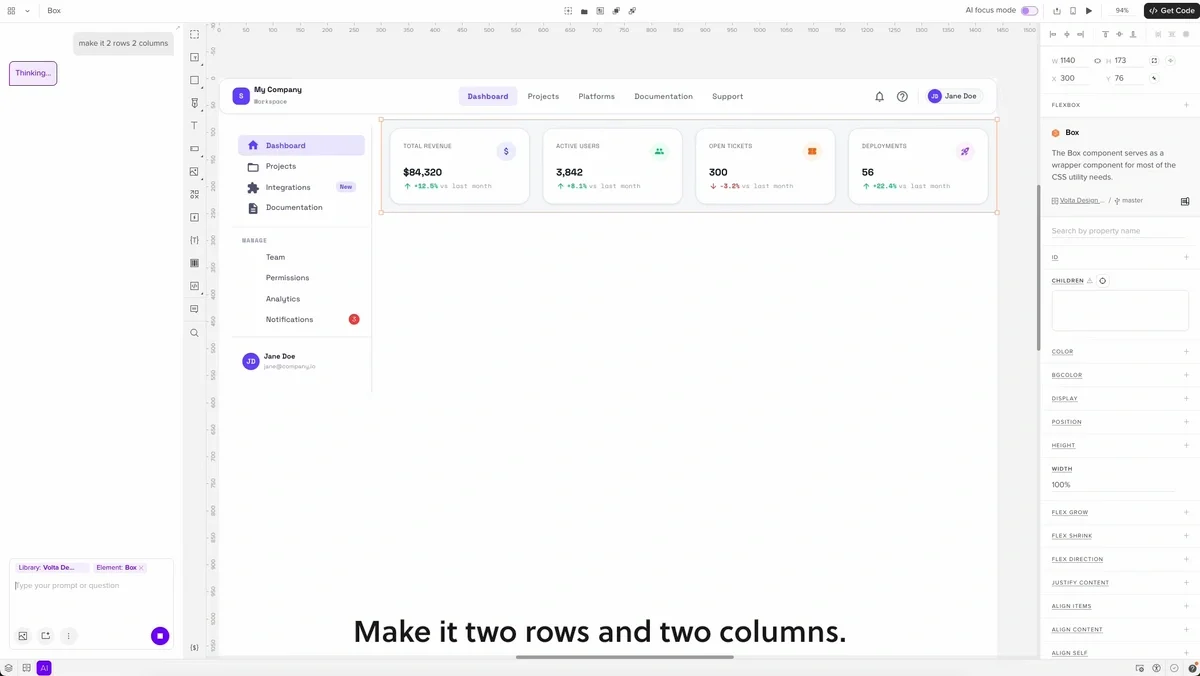
Forge Designing With Your Components

Iterating and Refining With Forge
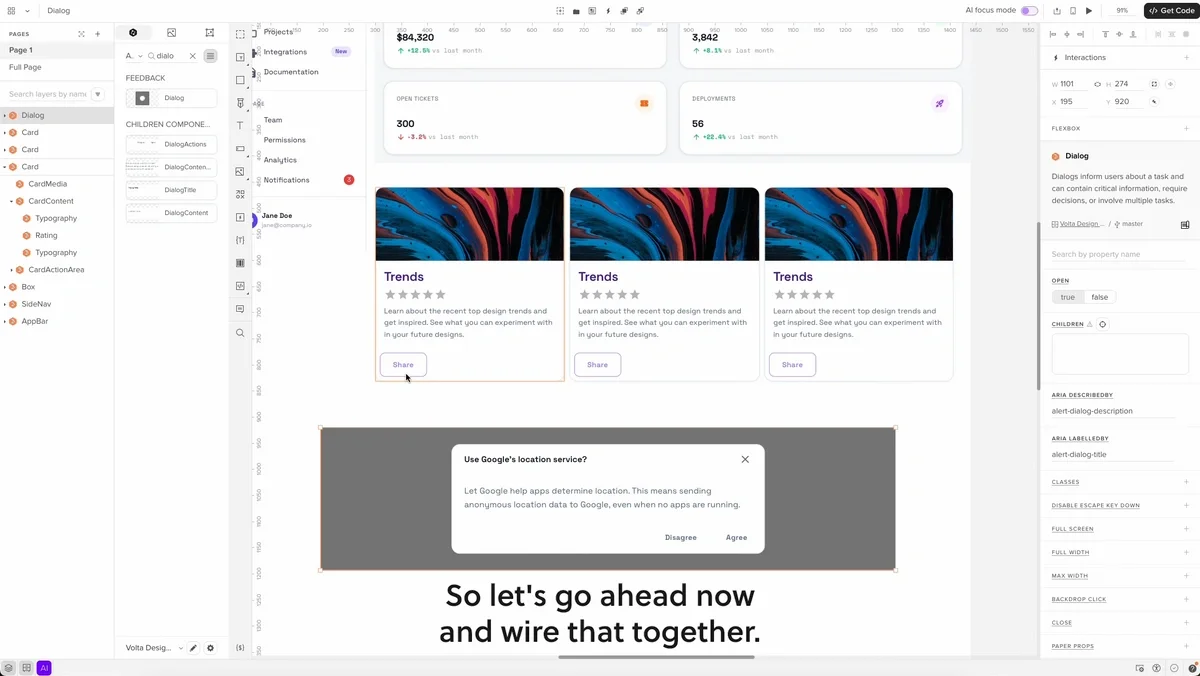
Iterating and Refining With Forge

Manual Design With Synced Components
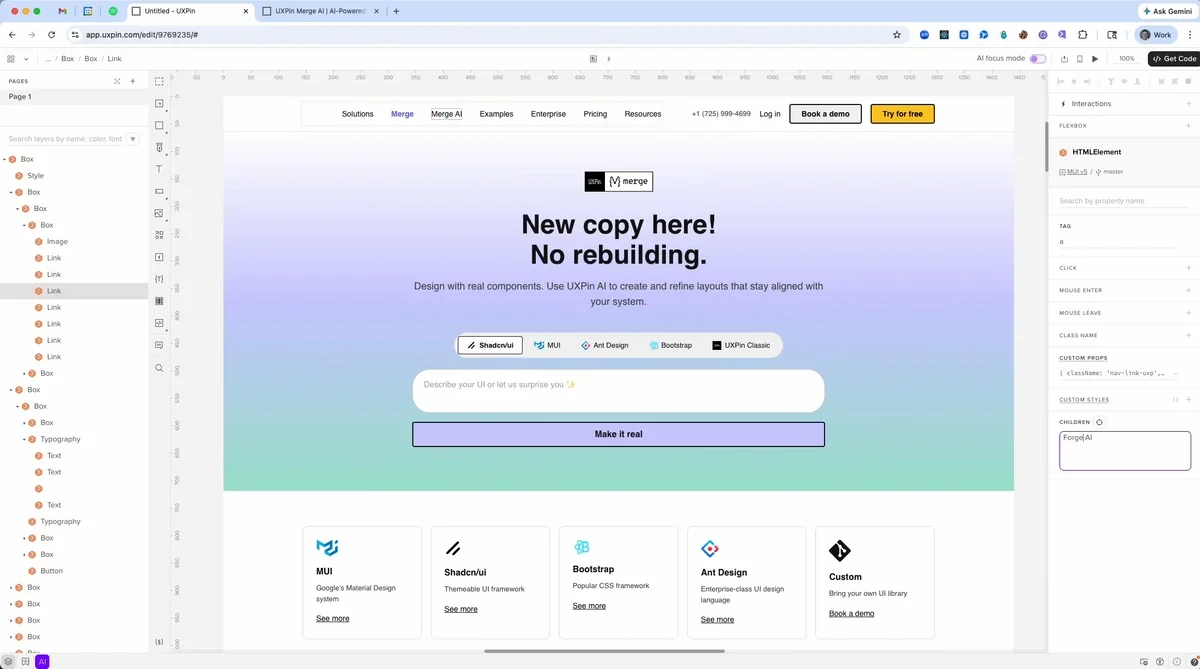
Manual Design With Synced Components

URL to Canvas
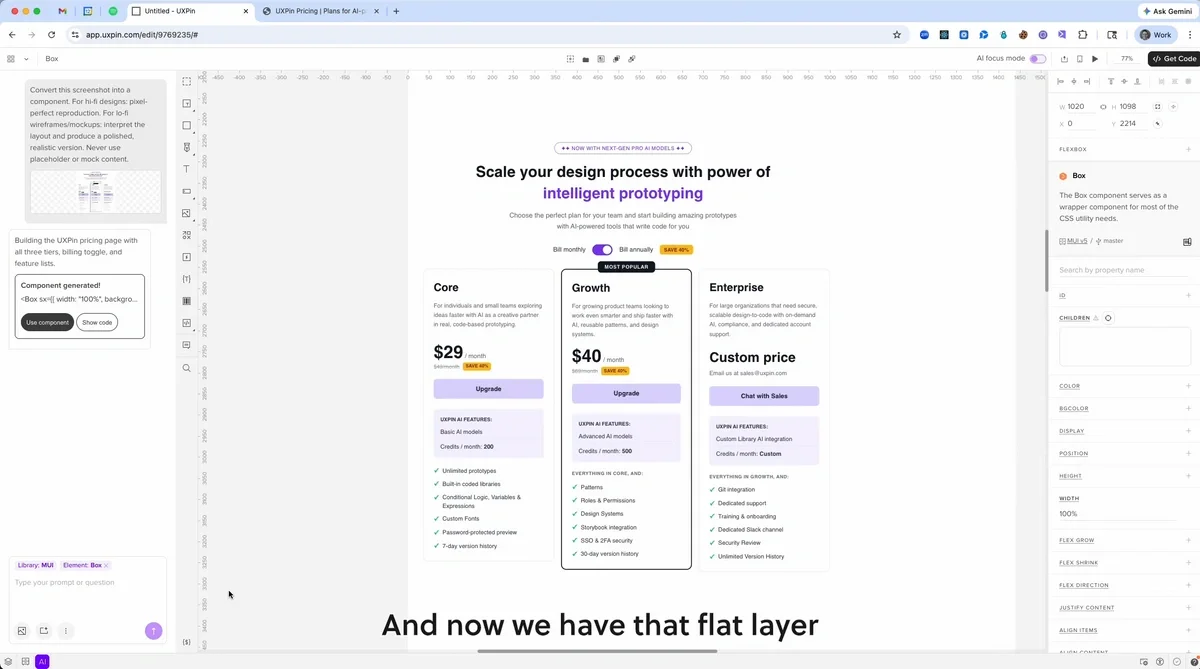
URL to Canvas

Screenshot to Canvas

Screenshot to Canvas

Low to High Fidelity
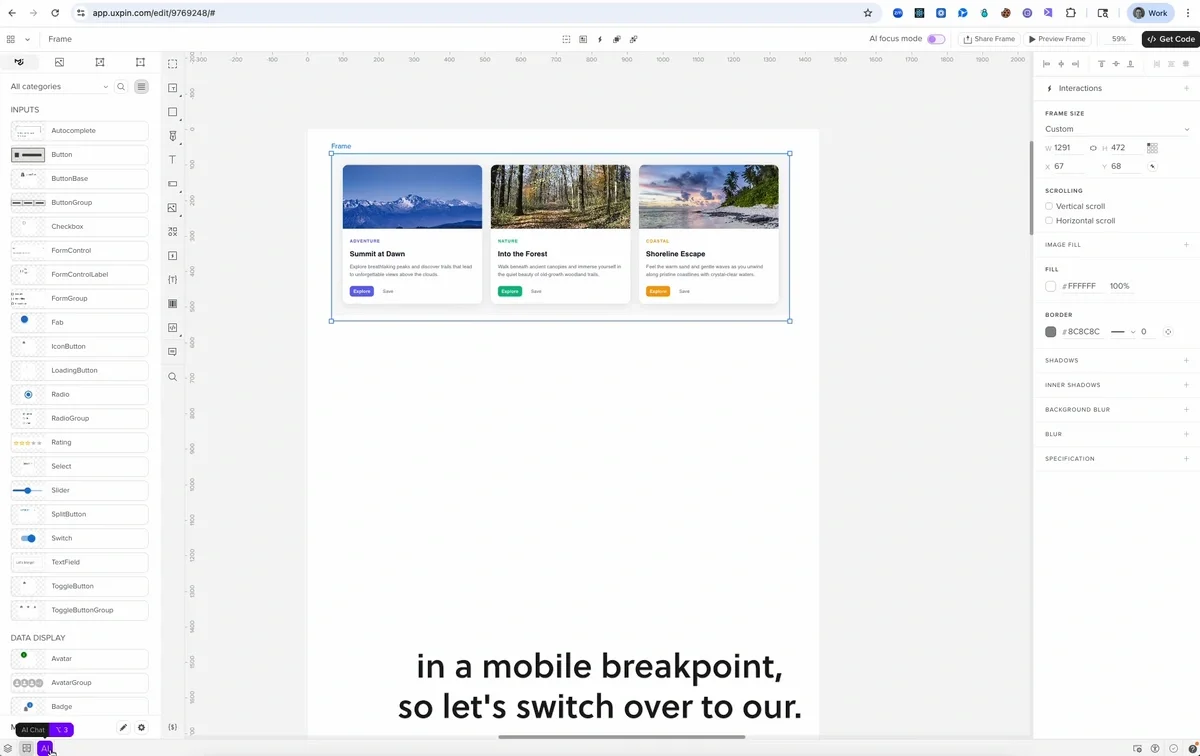
Low to High Fidelity

Make Responsive

Make Responsive

Book a Demo
Larry Sawyer

Larry Sawyer

Lead UX Designer

“When I used UXPin Merge, our engineering time was reduced by around 50%. Imagine how much money that saves across an enterprise-level organization with dozens of designers and hundreds of engineers.”
Erica Rider

Erica Rider

UX Architect @ BackBlaze

“We synced our Microsoft Fluent design system with UXPin’s design editor via Merge technology. It was so efficient that our 3 designers were able to support 60 internal products and over 1,000 developers.”

50%

reduction in engineering time

3 → 60

designers supporting 60 products

8.6×

faster with Forge + Merge

Built for how enterprise design system teams work

AI model choice

AI model choice

Choose AI model that fits your needs. Bring your own API key if needed.

Conversation context

Conversation context

Forge remembers your work so you can iterate across prompts naturally.

Image-to-UI

Image-to-UI

Upload screenshots or wireframes as visual context to generate or edit UI.

Component Documentation

Component Documentation

Generated directly from your synced library. Always up to date.

Version control

Version control

Work with the right version of your component library for each project.

JSX export

JSX export

Export production-ready JSX referencing your component library.

Advanced interactions

Advanced interactions

Add logic, variables, states, and dynamic behavior to your prototypes.

Responsive design

Responsive design

Build responsive layouts using the same components as developers.

Real-time collaboration

Real-time collaboration

Multiple designers can work on the same canvas at the same time.

How Forge compares

Forge vs. Figma’s AI

Figma generates vectors that represent UI, not real components. They can match your design system visually but aren’t connected to code. Developers still need to rebuild the UI. Forge generates UI with real React components, so the result is production-ready.
Forge vs. Figma’s AI

Forge vs. Lovable / Bolt

Lovable and Bolt are useful for MVPs without a design system. They generate UI using their own components and patterns. As projects grow, consistency becomes harder to maintain. Forge works with your component library and design rules, so UI stays consistent as you scale.
Forge vs. Lovable / Bolt

Forge vs. v0

v0 generates code based on shadcn. It works well within that setup. It is optimized for a specific component stack. Forge works with any React component library, built-in or custom. You can also refine UI with design tools, not just edit code. This gives teams more control over how UI is built.
Forge vs. v0
Frequently Asked Questions
Forge uses the component library connected to your UXPin project. It reads your components, including props, variants, and states, and generates UI using those real components. The better your library is documented, the more precisely Forge can use it.
UXPin supports React component libraries synced through Git. It also supports Storybook integrations for popular frameworks such as React, Vue, and Angular. Built-in libraries are available for teams that want to start without setup.
You connect your Git repository from GitHub or Bitbucket. UXPin reads your component APIs and makes those components available in the editor. As your code changes, your library stays aligned with UXPin.
Yes. Teams can control how closely AI output follows their design system. Forge prioritizes the components connected to your project and generates UI using your library. If your library has gaps, the AI can still generate UI that follows your patterns and tokens. You can also define plain-text design system guidelines that persist across the project and apply to every team member's AI output.
Forge supports multiple AI models, including Claude Sonnet, Claude Opus, Claude Haiku, and GPT models such as GPT Standard and GPT Mini. You can also bring your own OpenAI or Anthropic API key for billing flexibility and organizational compliance.
Production-ready JSX that references components from your synced library — the same imports, same component names, same prop values that your developers already use. They can integrate the exported code directly into the codebase. No translation layer. No interpretation required.
Figma's AI generates vectors — visual representations that engineers rebuild from scratch using your actual component library. UXPin Forge generates UI, using your real React components with real props. The exported code references the same library your developers use. There is no translation step.
Lovable and Bolt are excellent for greenfield projects where no design system exists. They generate to their own component conventions. If you have an existing custom component library, these tools ignore it. UXPin connects directly to your library and Forge generates exclusively with your components.
Yes. Because you're designing with real code-backed components, prototypes include real interactions, states, and logic. You can add conditional flows, variables, and dynamic content. Your prototype isn't a mockup — it's a working interface built on your actual components.
Built-in libraries (MUI, shadcn, etc.) work immediately — zero setup. Storybook integration takes minutes. Git integration requires initial configuration, typically one to two days with your development team, after which ongoing sync is automated via CI/CD. Our onboarding team handles setup with you on Enterprise plans.
Yes. You can try UXPin with built-in libraries immediately. No credit card required. Custom Git integration is available on Enterprise plans. Book a demo to discuss your specific design system and we'll show you exactly how the integration works with your components.

Your design system. Your AI. Your code.

See how Forge works with your actual component library. Book a 30-minute demo and we'll walk through the integration with your specific design system.

Enterprise plans include Git integration, custom AI credit limits, dedicated onboarding, and priority support. Contact for pricing.

Your design system. Your AI. Your code.